

Building a website once required knowledge
of HTML, CSS, web hosting and complicated
design software.
That is no longer always necessary.
Modern AI website builders can generate a complete website from a simple written description.
You tell the AI what kind of website you need, who it is for and how it should look.
The platform then creates the layout, pages, text, images and navigation for you.
You can edit the generated website visually, just as you would edit a presentation.
No programming knowledge is required.
Whether you want to create a personal portfolio, small-business website, blog, restaurant page or online store,
this guide will show you how to build a website using AI from start to finish.
Quick Summary
To create your first AI website:
-Decide the purpose of your website.
-Select an AI website builder.
-Describe your website through a detailed prompt.
-Allow the AI to generate the initial design.
-Replace the sample text and images.
-Check the mobile version.
-Connect a domain name.
-Review the site and publish it.
-The AI handles the first draft, but you remain responsible for making the website accurate, useful and trustworthy.
What Is an AI Website Builder?
An AI website builder is a platform that uses artificial intelligence to create website layouts, pages, written content and visual elements based on your instructions.Instead of manually choosing every section, you can enter a prompt such as:
Create a modern website for a home bakery in Bengaluru.
Include a homepage, product gallery, About Us page, customer testimonials, contact form and WhatsApp ordering button. Use warm pastel colours and a friendly tone.
The platform analyses the description and generates a website based on it.
Wix, for example, lets users describe their goals and style through a conversational interface before generating a customisable business website.
Hostinger similarly generates websites from a description and includes tools for writing, images, blogs, SEO and visual editing.
https://www.wix.com/ai-website-builder?utm_source=chatgpt.com
What Can AI Create for Your Website?
Depending on the platform, AI may generate:
-A homepage layout
-About and contact pages
-Service or product sections
-Headlines and website copy
-Colour combinations
-Fonts and design styles
-Stock or AI-generated images
-Contact forms
-Blog layouts
-Basic SEO titles and descriptions
-Mobile-responsive versions
AI website builders are especially useful for creating the initial structure. However, the generated content should be treated as a draft rather than a finished website.
1. Wix AI ,Best Overall for Beginners
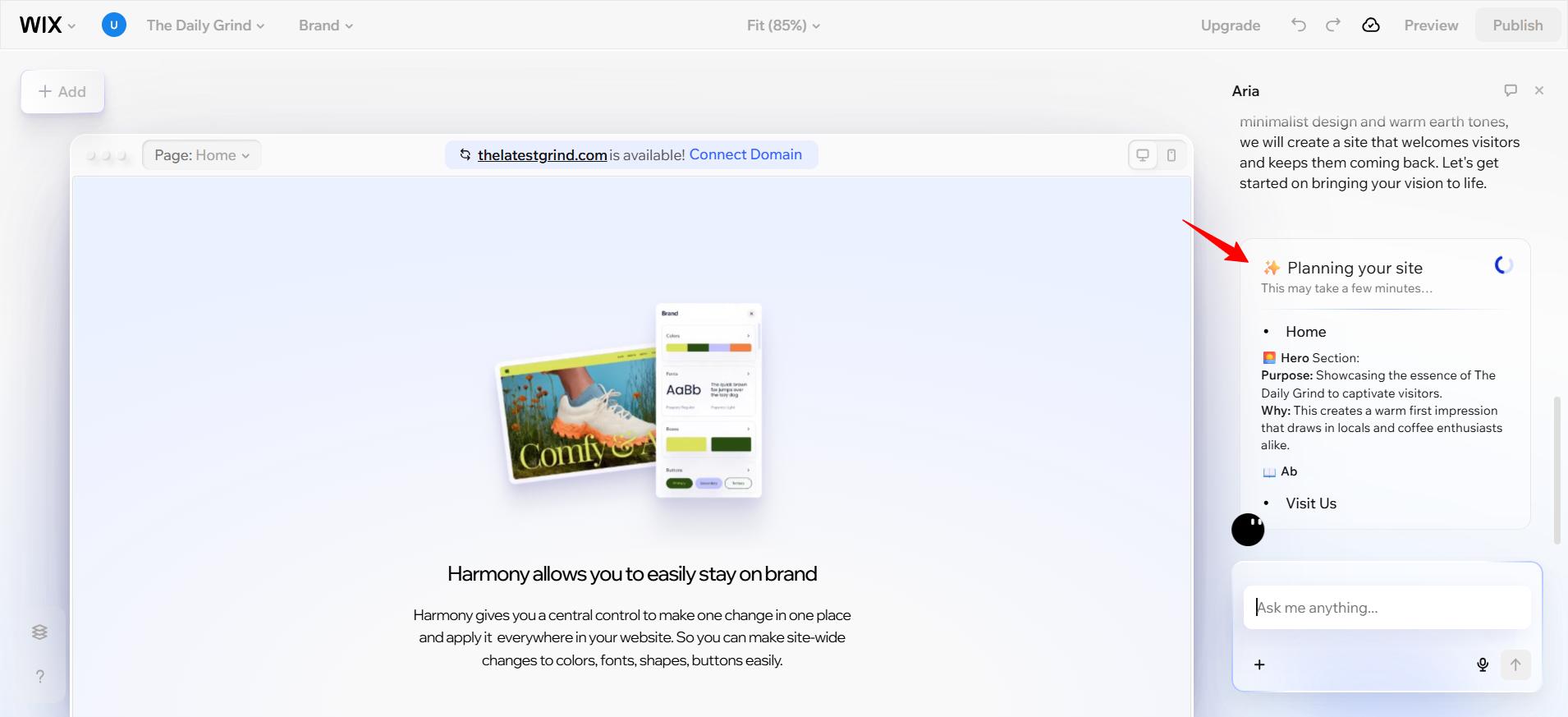
Wix AI is a good starting point for users who have never created a website.
The process begins with a conversation about your business, goals and preferred style. Wix then generates a website containing relevant pages, text, visuals and business features.
After generation, you can change the text, move sections, replace images and adjust colours through the visual editor.
Wix says its current AI builder can produce complete sites while still allowing users to refine the design through drag-and-drop controls.
Best for:
-Local businesses
-Consultants
-Restaurants
-Service providers
-Personal websites
-Small online stores
Official website:
https://www.wix.com/ai-website-builder
2. Hostinger AI ,Best for an Affordable Website
Hostinger combines website building and hosting within one platform.
You describe your website, and its AI creates the layout, pages and initial content. Hostinger also offers integrated AI tools for writing text, generating images, creating blog posts, analysing page attention and assisting with SEO.
The editor uses drag-and-drop controls, making it suitable for beginners who do not want to manage separate hosting and design systems.
Hostinger states that its generated sites are responsive and can be edited after publication.
Best for:
-Small-business websites
-Blogs
-Portfolios
-Freelancers
-Basic online stores
Official website:
https://www.hostinger.com/in/ai-website-builder
3. Framer AI , Best for Modern Designs
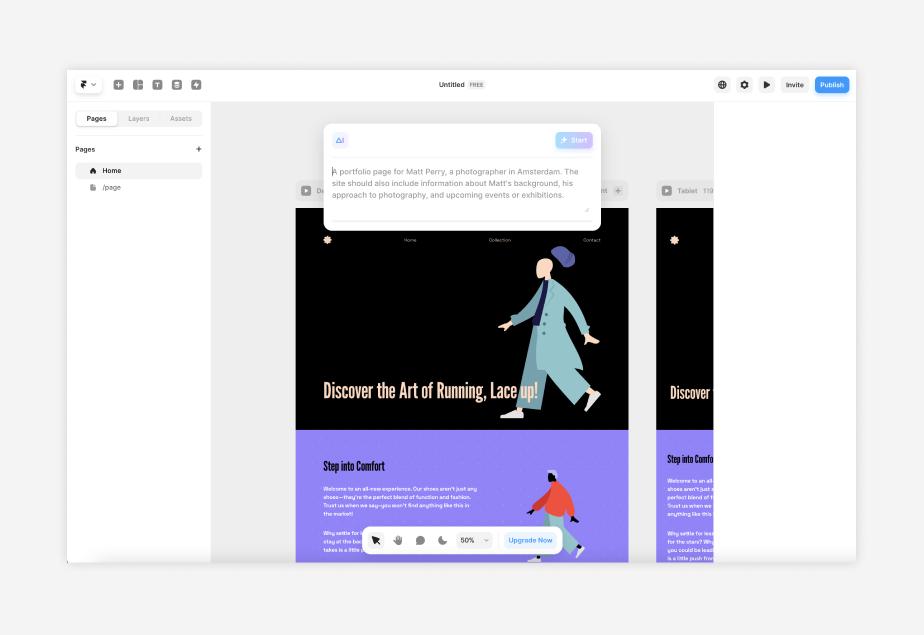
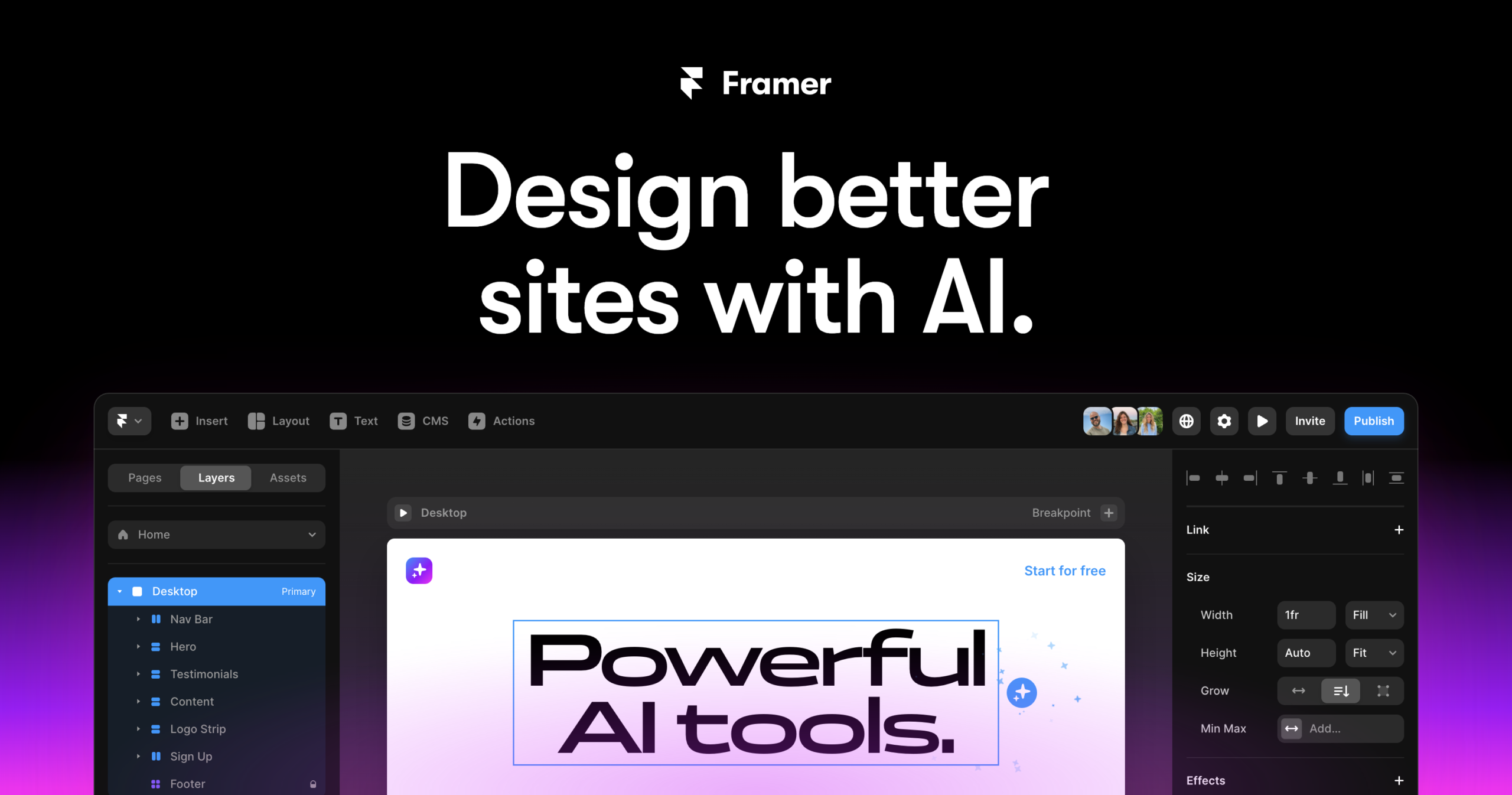
Framer is ideal for users who want a stylish portfolio, startup website or landing page.
You can describe the page you need, and Framer’s AI generates editable layouts, sections, copy and visuals.
The result can then be refined through its visual canvas.
Framer also combines responsive design controls, content management, hosting and SEO tools within the same platform.
It provides greater design flexibility than many beginner website builders, although first-time users may need some time to understand its interface.
Best for:
-Designer portfolios
-Startup websites
-Product landing pages
-Creative agencies
-Personal brands
Official website:
https://www.framer.com/ai/
4. 10Web , Best for AI-Powered WordPress Websites
10Web is useful for people who want the flexibility of WordPress without manually building every page.
Its AI builder can generate a website from a description and lets users customise it using an AI assistant or visual drag-and-drop editor.
This can be suitable for users who expect their website to grow into a larger blog, business site or online store.
However, WordPress-based websites may still require more maintenance than fully managed builders such as Wix or Hostinger.
Best for:
-WordPress users
-Content-heavy websites
-Business websites
-Blogs Agencies
Official website:
https://10web.io/ai-website-builder/
Step-by-Step: Build Your First Website Using AI
Step 1:Decide the Purpose of Your Website
Do not open an AI builder before deciding what the website is meant to achieve.
Ask yourself:
-Who is the website for?
-What action should visitors take?
-What information do they need?
-Will you sell products or services?
-Do you need a blog?
-Do you need enquiries, bookings or payments?
A freelancer may need a portfolio and contact form.
A restaurant may require a menu, location, opening hours and ordering link.
An online store will require products, payments, delivery information and policies.
A clear purpose helps the AI generate a more relevant website.
Step 2: Choose an AI Website Builder
For a simple beginner website, start with Wix AI or Hostinger AI.
Choose Framer when visual design and animations are more important.
Choose 10Web when you specifically want WordPress and expect to publish a large amount of content.
Avoid selecting a platform only because its first design looks attractive.
Also check:
-Custom-domain support
-Hosting
-Mobile responsiveness
-SEO settings
-Storage
-Ecommerce support
-Payment integration
-Ability to export or move the website
-Renewal pricing
Step 3: Write a Detailed Website Prompt
Your prompt strongly influences the first result.
A weak prompt would be:
Create a business website.
A better prompt would be:
Create a professional five-page website for a digital-marketing consultant in Bengaluru. Include Home, Services, About, Case Studies and Contact pages. Use a clean white-and-dark-blue design. The homepage should include a strong headline, service overview, client results, testimonials and a consultation-booking button. Use clear and confident language.
Include these details in your prompt:
-Type of business or website
-Target audience
-Required pages
-Preferred colours
-Desired tone
-Main products or services
-Required forms or buttons
-Main visitor action
Reusable Prompt Template
Copy and customise this prompt:
Create a modern website for [business or project]. The target audience is [audience]. The main goal is to [desired action]. Include pages for [page names]. Use a [style] design with [colours]. The writing should sound [tone]. Include sections for [services, products, testimonials, FAQs or contact details].
Make the website mobile-friendly and easy to navigate.
Step 4: Review the AI-Generated Structure
Once the AI generates the website, do not immediately publish it.
First, review the overall structure.
Check whether the homepage clearly explains:
-What the business offers
-Who it helps
-Why visitors should trust it
-What visitors should do next
A useful business homepage generally includes:
-Header and navigation
-Hero section
-Main benefit
-Products or services
-Proof or testimonials
-About section
-Frequently asked questions
-Contact or call-to-action section
-Footer
Remove unnecessary sections instead of keeping them simply because AI generated them.
Step 5: Replace All AI-Generated Content
AI may produce polished text that sounds convincing but contains vague or incorrect information.
Replace placeholder content with:
-Your real business name
-Accurate services
-Correct prices
-Genuine achievements
-Real customer testimonials
-Actual phone number and email
-Correct address and opening hours
-Original product photographs
-Valid social-media links
Never publish invented testimonials, awards, clients or statistics.
Your website must represent the real business rather than an imaginary version produced by AI
Step 6: Improve the Homepage Headline
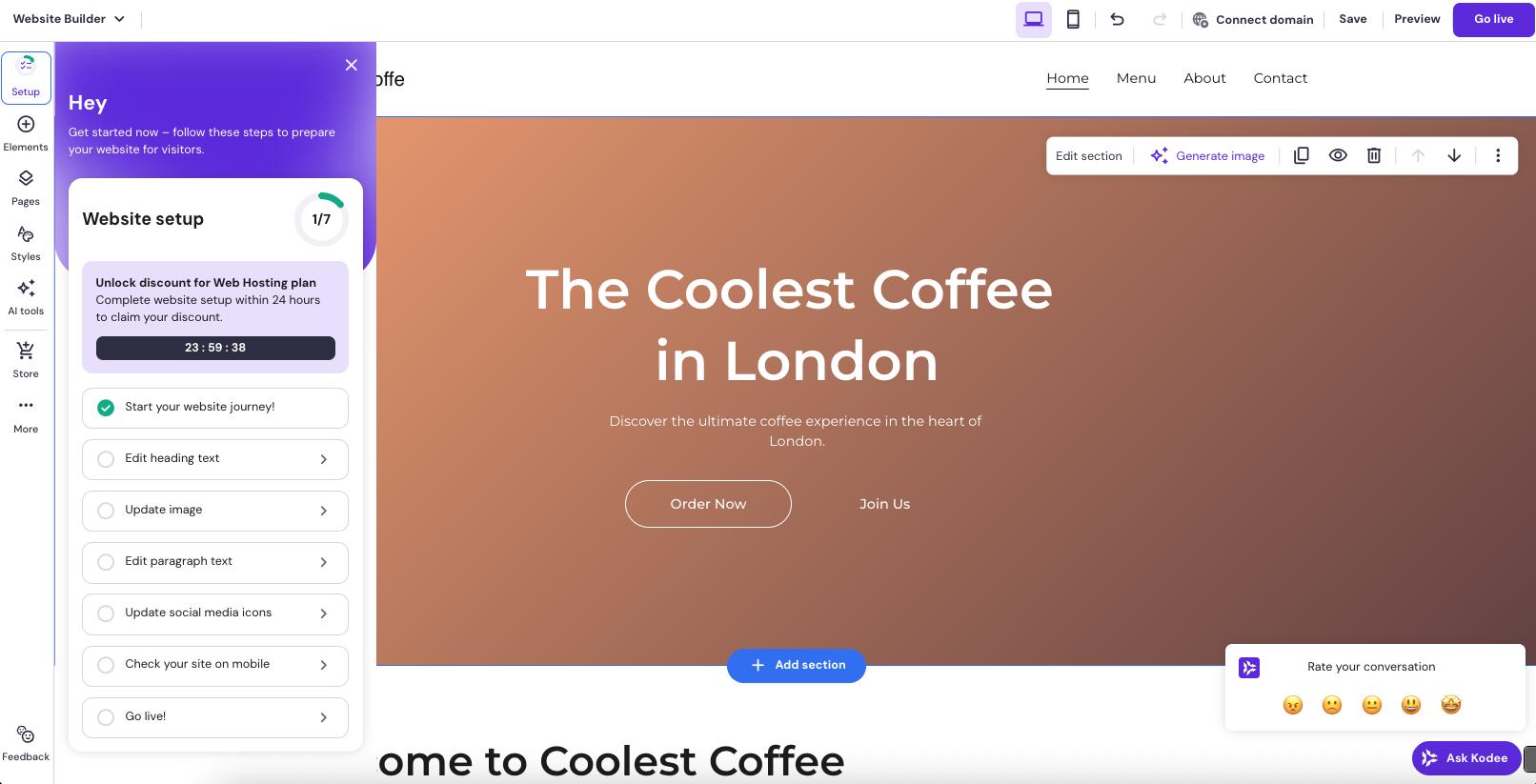
Your headline should immediately explain what you offer.
Avoid generic headlines such as:
Welcome to Our Website
Use a specific benefit instead:
Personalised Online Fitness Coaching for Busy Professionals
Or:
Fresh Custom Cakes Delivered Across Bengaluru
A strong headline should answer three questions:
-What do you offer?
-Who is it for?
-Why should the visitor care?
Add one clear button underneath, such as:
-Book a Consultation
-View Our Services
-Shop Now
-Request a Quote
See My Work Contact Us
Step 7: Add Essential Pages
Most professional websites should include at least:
Homepage
Introduces the brand and directs visitors towards the main action.
About Page
Explains who you are, what you do and why the visitor should trust you.
Services or Products
Clearly presents what customers can purchase or enquire about.
Contact Page
Includes an email address, contact form, phone number or business location.
Privacy Policy
Explains how visitor information is collected and handled.
Depending on the website, you may also need:
-Terms and Conditions
-Refund Policy
-Shipping Policy
-Blog
-Frequently Asked Questions
-Portfolio
-Testimonials
-Booking page
Step 8: Check the Mobile Version
A website that looks good on a laptop may appear broken on a phone.
Before publishing, check:
-Whether headings fit on the screen
-Whether buttons are easy to tap
-Whether images load correctly
-Whether tables extend beyond the page
-Whether text is readable
-Whether menus open correctly
-Whether forms work
-Whether there is unwanted horizontal scrolling
Hostinger states that websites generated through its builder are responsive by default, while Framer provides controls for refining responsive layouts.
Even so, every page should still be reviewed manually on a mobile screen.
Step 9: Optimise the Website for Google
AI can assist with SEO, but it cannot guarantee that your site will rank.
For every important page, add:
-A clear SEO title
-A relevant meta description
-One main keyword
-Descriptive headings
-Image alt text
-A short and readable URL Internal links
-Original and useful content
For example:
Page Title:
Best Home Bakery in Bengaluru | Sweet Crumbs
URL:
sweetcrumbs.com/custom-cakes-bengaluru
Meta Description:
Order customised birthday, wedding and celebration cakes from Sweet Crumbs in Bengaluru. Explore flavours, designs and delivery options.
Do not place the same keyword unnaturally in every sentence. Write for the reader first.
Step 10: Connect a Domain and Publish
A domain is the website address visitors enter, such as:
yourbusiness.com
Some AI builders allow you to create and test a website on a free subdomain. However, a custom domain usually looks more professional and is easier for customers to remember.
Before clicking Publish, test:
-All menu links
-Contact forms
-Email buttons
-Phone-number links
-Social-media icons
-Payment or booking pages
-Desktop and mobile layouts
-Spelling and grammar
-Privacy-policy links
Once everything works correctly, connect the domain and publish the website.
Common Mistakes to Avoid
Publishing the First AI Draft
The first generated version is only a starting point.
Review and personalise every section.
Using Too Much AI-Written Text
Long paragraphs filled with generic marketing language can make the website feel artificial.Keep the writing direct and specific.
Keeping Fake Testimonials
AI-generated names, customer reviews or company logos must be removed.
Ignoring Mobile Design
Many visitors will open the site on a smartphone.
Always review the mobile layout.
Using Too Many Buttons
Each page should have one primary action.
Too many competing buttons can confuse visitors
Forgetting Contact Information
Make it easy for visitors to reach you without searching through several pages.
Choosing Design Over Speed
Heavy animations, oversized images and unnecessary effects can slow down the website.
Docodealz Tip
Use AI to create the structure not the final identity of your website.
The most successful AI-built website will still contain your own expertise, photographs, products, customer proof and brand personality.
AI can make the process faster, but your real information is what makes the website credible.
Can You Build a Website Completely Free with AI?
You can often create and test an AI-generated website for free.
However, free plans commonly include limitations such as:
-A platform-branded web address
-Platform advertising Limited storage
-Restricted ecommerce features
-No custom domain
-Fewer analytics or marketing tools
A free plan is suitable for learning and testing.
A paid plan is usually required for a professional business website with a custom domain.
Wix allows users to begin generating a website for free, while Framer also offers a free starting option. Publishing requirements and premium features depend on the selected plan.
Final Verdict
AI has made website creation far more accessible to beginners.
You no longer need to write code to create a professional portfolio, business page, blog or basic online store.
Platforms such as Wix AI, Hostinger AI, Framer and 10Web can generate the first version of your website from a written description.
For most beginners, Wix AI offers the easiest all-round starting point.
Hostinger AI is a practical option when you want website building and hosting together.
Framer is better for modern design-focused websites, while 10Web is suitable for users who prefer WordPress.
The AI-generated website should never be published without review. Replace generic text, verify every claim, upload authentic images, test the mobile layout and make sure every button works.
AI can build the foundation in minutes. Your own information, judgement and creativity will turn it into a website people can trust.
Frequently Asked Questions
Can AI build an entire website?
Yes. AI website builders can generate layouts, pages, text, images and navigation. You will still need to review, customise and test the generated site.
Do I need coding knowledge?
No coding knowledge is required for most AI website builders. They use conversational prompts and visual drag-and-drop editors.
Which AI website builder is best for beginners?
Wix AI and Hostinger AI are among the easiest options for beginners.
Framer is better suited to users who want greater visual-design control.
Can I create an online store using AI?
Yes. Several AI website builders support product pages, shopping carts and payments. Ecommerce features may require a paid subscription.
Will an AI-built website rank on Google?
It can rank, but AI generation alone does not guarantee results.
The website still needs original content, useful information, proper SEO, good performance and credible backlinks.
Can I edit the website after publishing?
Yes. Major AI website builders let you return to the editor and update pages, text, images and layouts after publication.
>>Best AI Coding Assistants
>>Best AI Image Generators
>>Best AI Video Generators
>>AI Business Tools
>>Best AI Presentation Makers